 ConciseTravel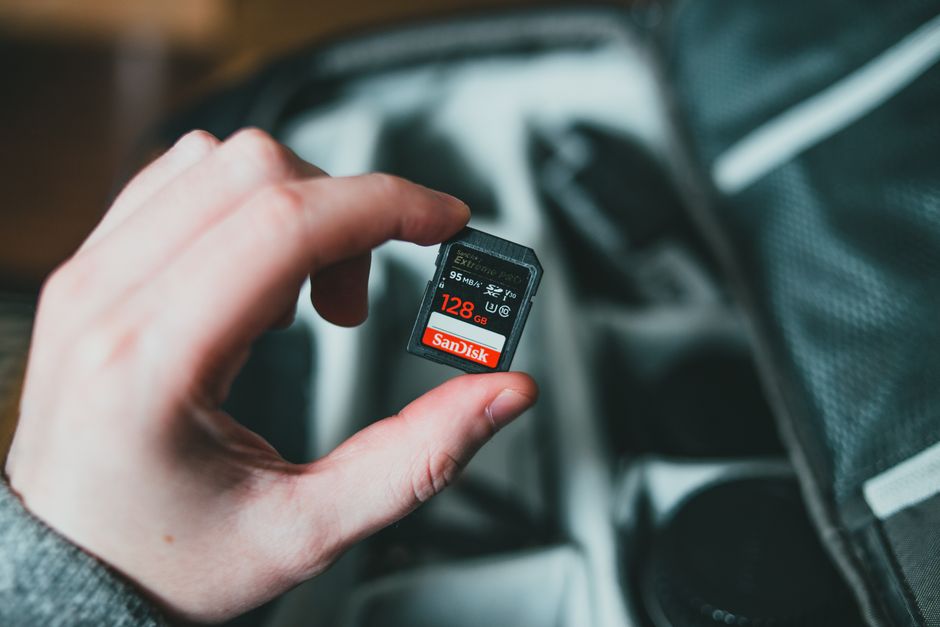
Losing your holiday photos to a stolen phone, a dead device, or a corrupted SD card is preventable. It requires five minutes of setup before you leave, not a complicated system.
The Simplest Solution: Enable Auto-Backup Before You Leave
Turn on iCloud Photos (iPhone) or Google Photos backup (Android) and set it to back up over mobile data as well as Wi-Fi. Your photos will upload to the cloud every time you take them, in the background, without you doing anything.
iCloud: Settings > Photos > toggle iCloud Photos on. Google Photos: app > profile icon > Photos settings > Backup.
If your current cloud storage is nearly full, your backup will silently fail. Check your available storage before you travel and upgrade if needed. 50GB of iCloud storage costs 79p per month. This is genuinely one of the best 79p you can spend.
The Problem With Wi-Fi-Only Backup
If you set cloud backup to Wi-Fi only, your photos will not back up when you are out taking them. They will back up when you return to your hotel room and connect. If your phone is stolen while you are out, you lose everything since the last time you were on hotel Wi-Fi.
Enable backup over mobile data. Your photos will upload over your data plan as you take them. A day of holiday photos might use 50-200MB of data. On a European trip with an EU data roaming plan, this is negligible.
Google Photos: The Free Option
Google Photos offers unlimited storage for photos backed up in "Storage Saver" quality (compressed but indistinguishable to most eyes at phone screen or laptop sizes). For free, with your existing Google account. Turn it on.
Google Photos also does the best job of automatically organising photos by date, location, and face recognition, making the library significantly easier to navigate after the trip.
For Camera Users: The SD Card Problem
If you are shooting on a dedicated camera rather than just a phone, your SD card is the vulnerability. Cards fail, get corrupted, and get lost.
Options: carry two SD cards and swap to the second halfway through the trip, keeping the first as a backup in your accommodation. Or carry a small portable hard drive that can read SD cards directly (they exist for around £50) and back up to it each evening.
Alternatively, connect your camera to your phone each evening via Bluetooth or the camera's companion app and let Google Photos or iCloud back up the transferred files.
The Belt-and-Braces Approach
If your photos genuinely matter to you, use two cloud services. Apple Photos and Google Photos simultaneously. Both are free at the level most travellers need. If one fails, the other is there. This requires a tiny amount of setup and essentially zero ongoing effort.
The One Thing Most People Forget
Check that your backup is actually working before you leave home. Take a test photo, delete it from your phone, and verify it is still in iCloud or Google Photos. A backup that has silently failed is worse than no backup because you assume you are covered.